Cloud Processing (Pro)
AI-powered translation with seamless inpainting. Get accurate OCR + translations in one click.
Getting Started
-
1
Open Extension Options
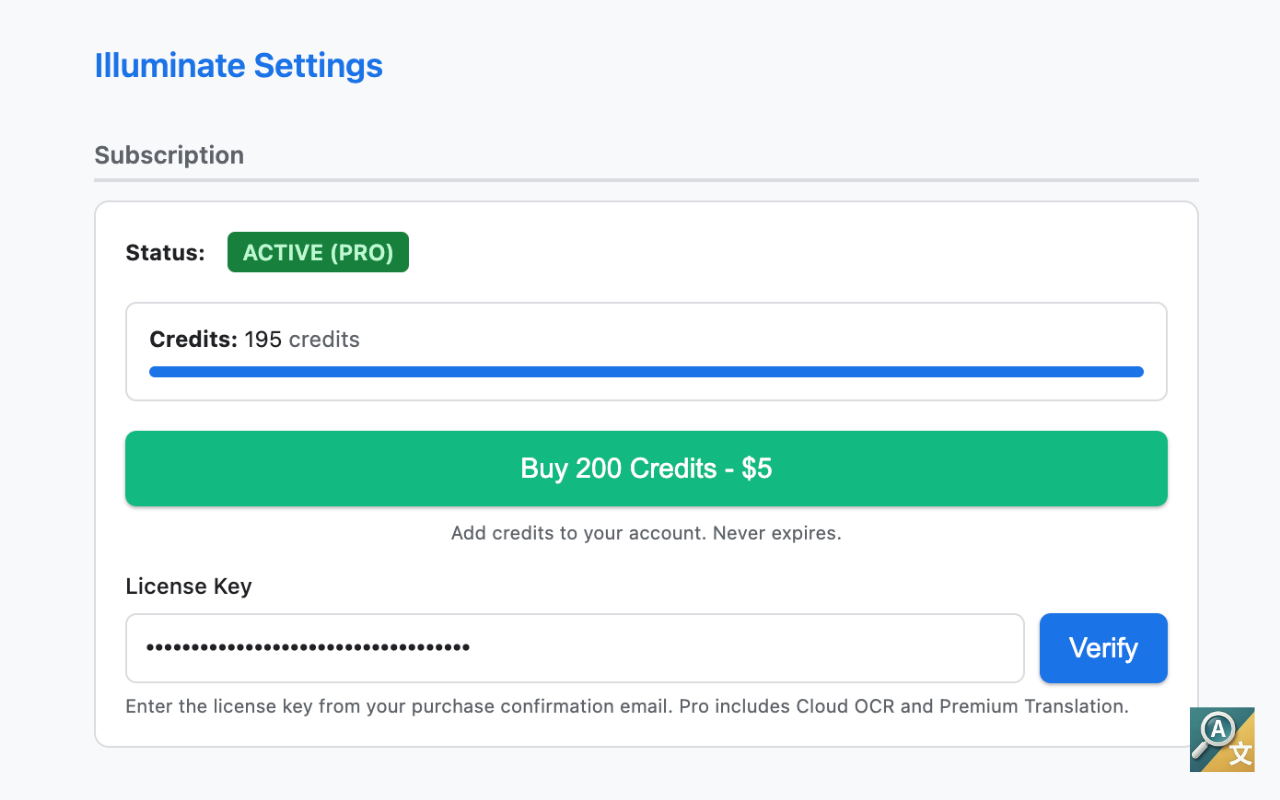
Click the Illuminate extension icon and select "Options" or right-click the extension icon and choose Options. You'll see your subscription status, credit balance, and license key input.
-
2
Select Cloud Mode
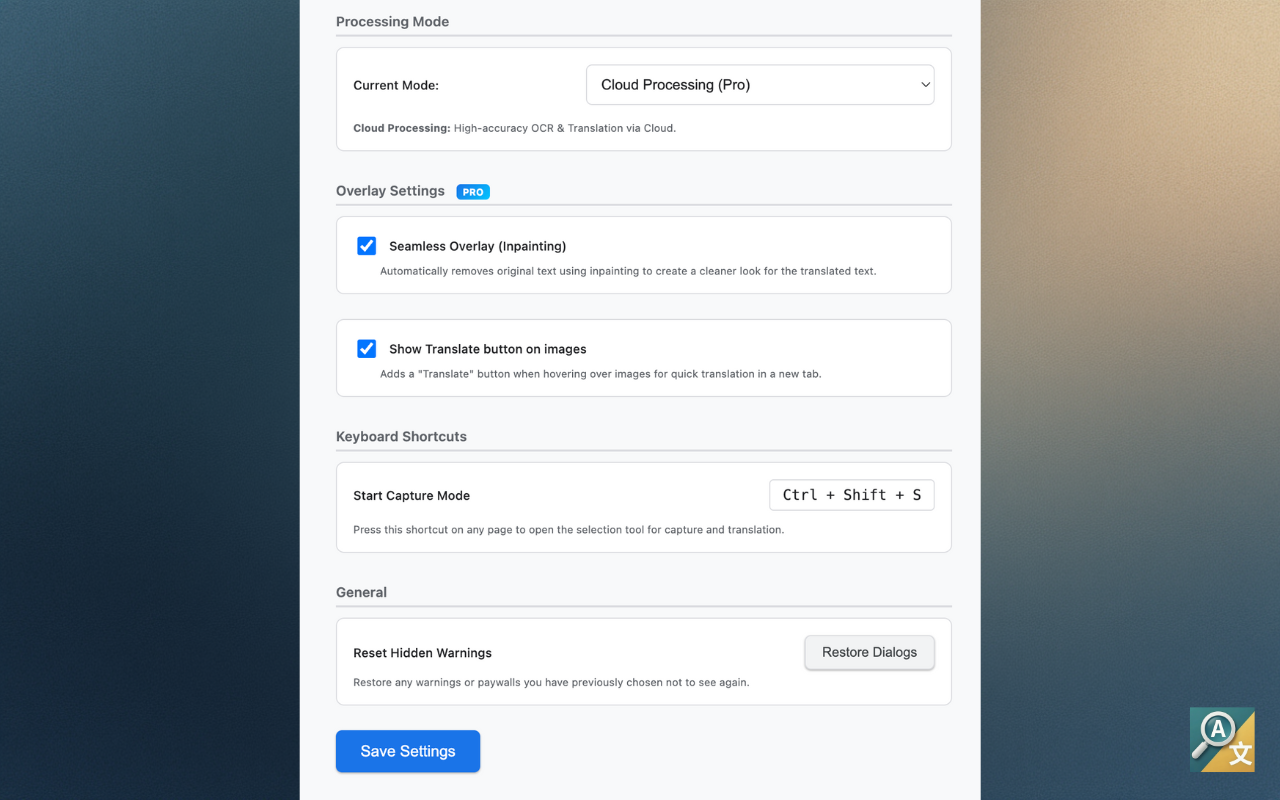
In the Processing Mode dropdown, select "Cloud Mode (Pro)". This enables AI-powered OCR with full translation support using Qwen3-VL-Flash.
-
3
Trigger Translation
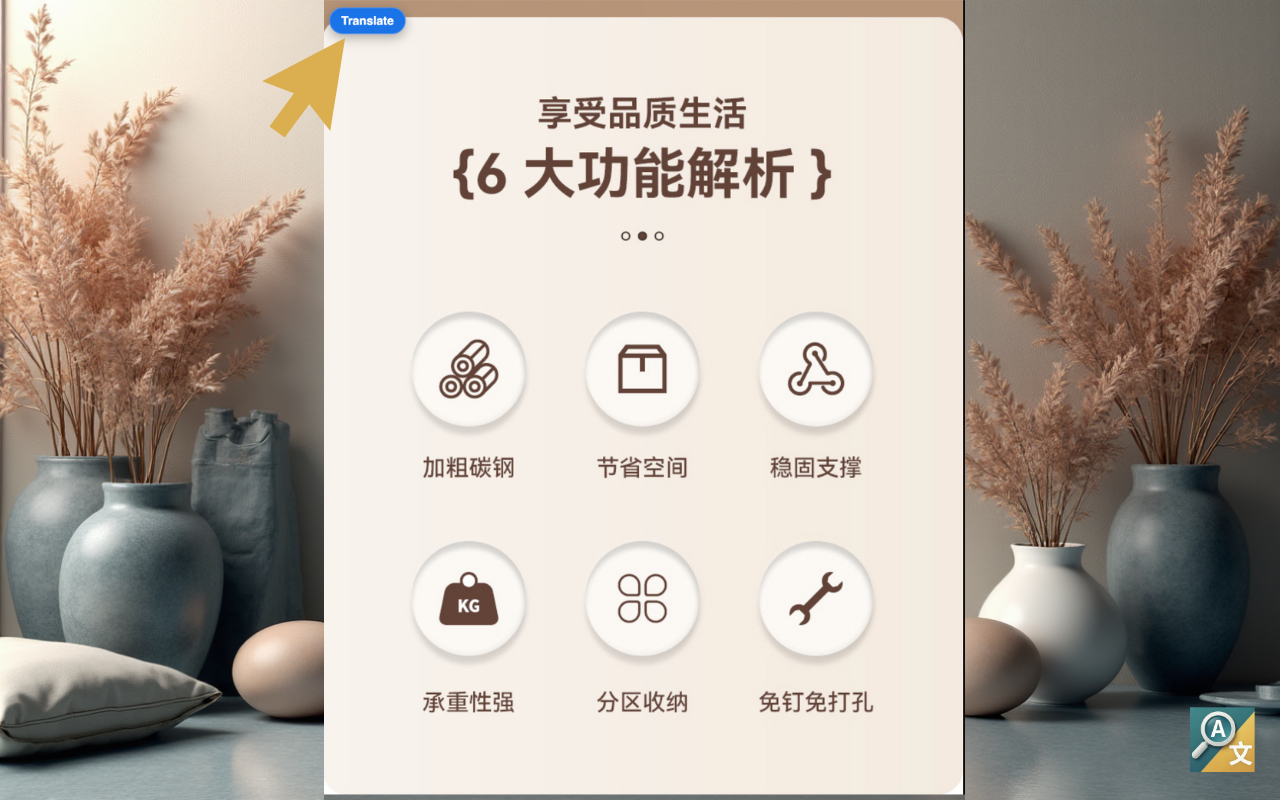
Right-click on any image and select "Translate Image", or hover over an image and click the Translate button that appears. Your credit balance will be checked automatically.
-
4
View Translated Result
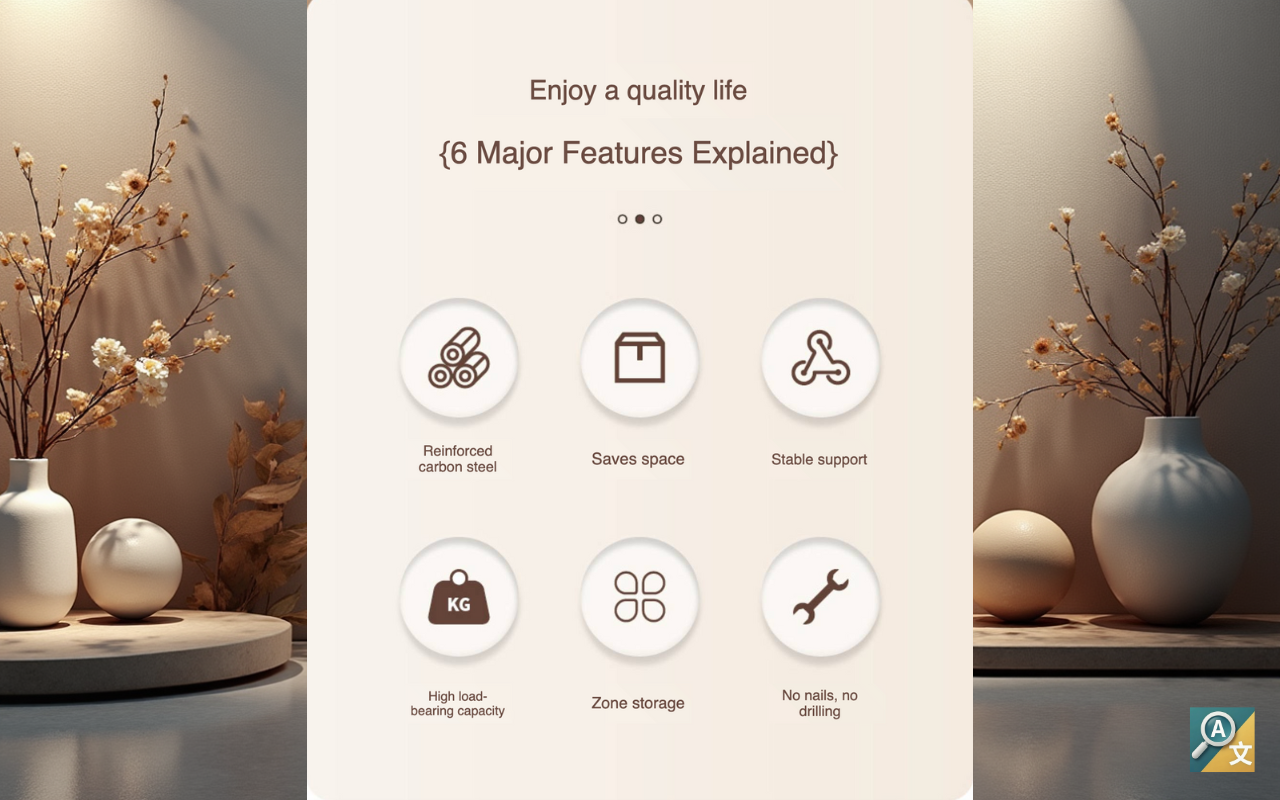
The original text is seamlessly replaced with translated text using AI inpainting. Hover over any translated text to copy it or open in Google Translate.
How It Works
AI-Powered Translation
Uses Qwen3-VL-Flash for state-of-the-art OCR + translation in a single pass. Much higher accuracy than local OCR.
Seamless Inpainting
Original text is removed and replaced with seamlessly blended translated text. No ugly overlays or boxes.
Higher Accuracy
Cloud AI handles complex layouts, stylized fonts, and multi-language text with better accuracy than local Tesseract.
Easy Copy & Share
Hover over translated text to copy to clipboard or open in Google Translate for alternative translations.
Credit System
Pro Subscription
Cloud Mode requires an active Pro subscription. Each translation uses 1 credit from your monthly allowance.
200 Credits/Month
Your Pro subscription includes 200 OCR + translation operations every billing cycle.
Fast Processing
Cloud processing is fast and doesn't use your device's resources. Works on any computer.
Easy Refill
Run out of credits? Add $5 for 200 more credits anytime through the extension options.
Credits Never Expire
Unused credits roll over to the next month. Never lose what you paid for.
Limitations
Requires Internet
Cloud Mode needs an internet connection to communicate with the AI translation service.
Uses Credits
Each translation uses 1 credit from your monthly allowance. Local Mode is free and unlimited.
Region Availability
Cloud processing may have limited availability in some regions due to API endpoint locations.
Local vs Cloud Mode
Not sure which mode to use? Here's a quick comparison:
Use Local Mode When
You need offline OCR, want free unlimited use, or don't need translations.
Use Cloud Mode When
You need accurate translations, want seamless inpainting, or process many images.
Related Guide
Learn about Local Mode for free, offline OCR with Tesseract.js. Read the Local Mode guide